
Exam & Result Management Software
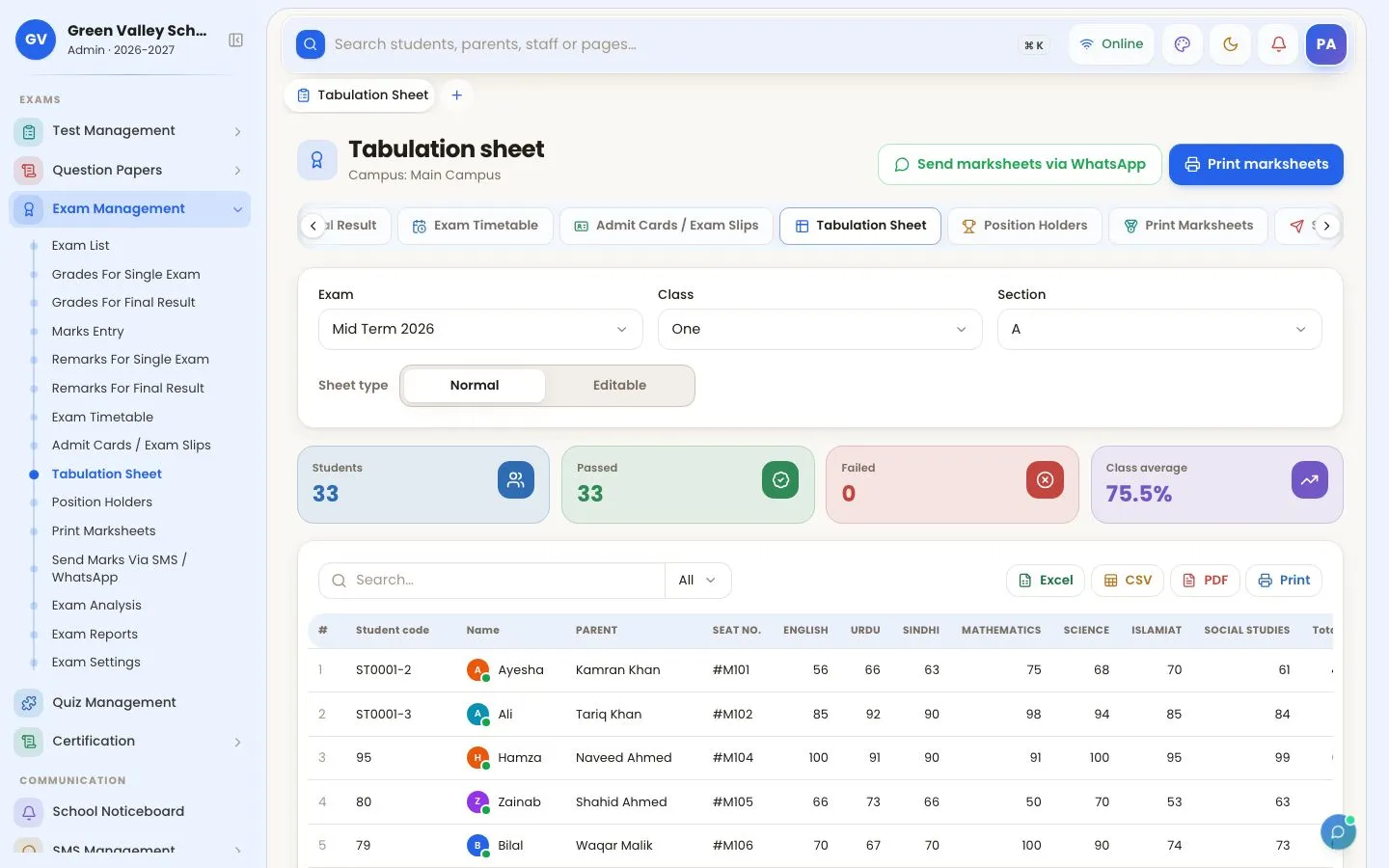
From the date sheet to the result card, exams run on one screen. Subject teachers enter their own marks, the class teacher writes remarks, and the software works out totals, grades, GPA and positions without a single spreadsheet.
What you can do
- Exam timetable (date sheet) with rooms and timings, printed or sent on WhatsApp
- Admit cards and exam slips — for the whole section or the students you pick
- Marks entry on one sheet per section; subject teachers see only their subjects
- Your own grading scale, pass marks and GPA; totals and positions calculated automatically
- Tabulation sheets, position holders and printable marksheets (classic and modern designs)
- Final result combining several exams, and teacher remarks (with optional AI-drafted remarks)
- Results sent to parents by SMS / WhatsApp, and visible in the parent app
- Exam analysis: subject averages, toppers and students who need help
How to use it
Make the date sheet
Add each paper's date, time and room; print it or send it to parents.

Print admit cards
Exam slips or ID-style admit cards for the whole section or the students you tick.

Enter marks
Subject teachers enter their subjects on one sheet; totals and grades are worked out as they type.

Print result cards
Tabulation sheet, positions and result cards in modern or classic designs — printed or sent on WhatsApp.

More screens


Frequently asked questions
Can each teacher enter marks only for their own subject?
Yes. A subject teacher sees only the subjects they teach; the class teacher can enter all subjects of their section.
Can we print admit cards?
Yes — exam slips with the date sheet, or ID-style admit cards, for a whole section or selected students, printed or sent by WhatsApp.
Works together with
Tests & Combined Results
Record daily, weekly and monthly class tests, schedule them, enter marks, print test results and combine tests into one monthly result card.
Question Papers
Build a question bank by chapter, generate papers from patterns with several sets, and print exam papers from the date sheet.
Parent & Student Portal
Parents and students see attendance, diary, results, fees and notices, pay fees online, track the school bus and talk to the class teacher.
Related articles
School Management Software Free Trial: Try It for 3 Days
Create a free OurSchoolSoftware account in minutes and use every feature for 3 days — what you get, how to verify, and what to test first.
What Is School Management Software and How Does It Work?
What school management software (school ERP) is, what it does for admissions, fees, attendance and exams, and how a cloud school system works day to day.
Best School Management Software in Pakistan
The best school management software in Pakistan compared: what Pakistani schools need — fees, WhatsApp, attendance, results — and which systems offer it.
Try OurSchoolSoftware free for 3 days
Create your free account in two minutes — no payment needed. Your school is ready to use straight away, with every feature of the package you choose.